

Connect to Fuyu
Open a private account, connect a wallet and check which approvals you need.
Before you start#
Your Fuyu account holds the secrets used to find notes and prove that you own them. An Ethereum wallet handles public transactions and, if configured, extra spending approvals. Connecting that wallet does not open your private account or authorize every payment.
Open the app and check the selected network. Its Pool, receiving directory and proof files must come from the same deployment. Use a supported development deployment for this walkthrough.
Open an account#
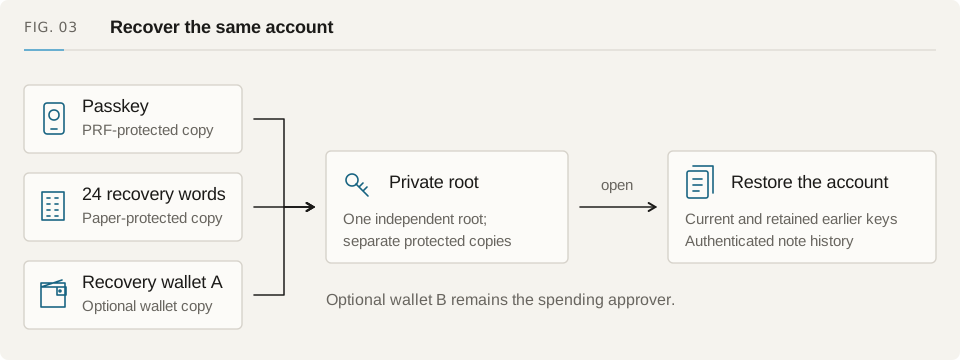
Choose a passkey or paper recovery. A passkey uses your browser's authenticator to open the account; paper recovery uses your recovery words. Accounts registered independently can also have optional recovery through their original wallet.
Save and test your recovery method before adding funds. Keep paper words offline. Use the access test to make sure your passkey opens the account you expect, then connect a wallet when a transaction needs it.
Which key does what?#
| Authority | What it does | When you need it |
|---|---|---|
| Passkey or paper words | Opens your private account keys | Find notes, prove spends and recover history |
| Original wallet A, when configured | Controls the public account record and optional recovery | Update the account record or recover through that wallet |
| Spending wallet B, when configured | Approves spends of controlled notes | Collect EOA, Safe or supported ERC-1271 approval |
| Relayer or your transaction wallet | Submits the transaction | Settle the prepared operation onchain |
Before adding funds#
Check the receiving address and make sure your funding wallet is on the same network. If the account uses a spending controller, check who can approve it now. Recovering your account keys will not remove that approval requirement.
Next, follow Get Funds. Send a small payment first and check that the recipient can recover its note.