

Encrypted recovery files
Save history and pending operations, restore them on another device and handle backup conflicts.
What a recovery file saves#
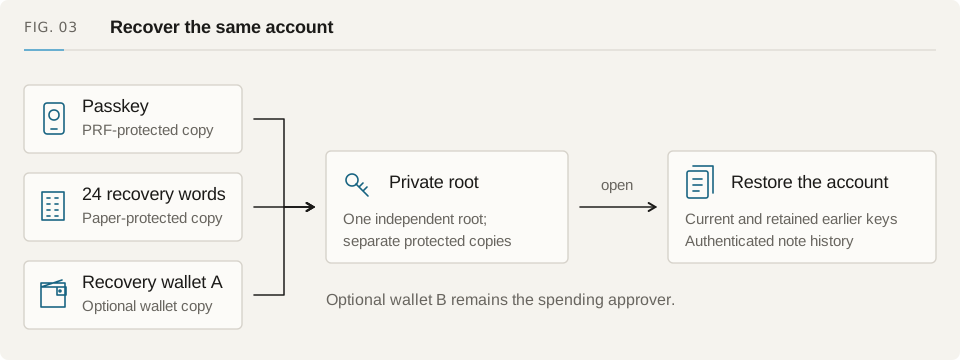
An encrypted recovery file saves authenticated scan state and the operation journals present when you export it. It helps another browser resume recovery, approvals or an operation with an unknown result. You still need a passkey, paper words or wallet recovery to open the account.
The bundle includes its deployment scope, checkpoints for the active and earlier keys, scan anchors and a public-checkpoint digest. It can also contain separately encrypted Safe proposals, ordinary pending authorizations and account operations. After restoring it, refresh the canonical chain and run the usual controller checks before spending.
Export a backup#
Open the account and finish a verified history scan. Choose Export encrypted backup file in the backup tools. The download is named fuyu-encrypted-recovery.json. Read the saved-backup summary to see whether it includes history, Safe approvals, pending authorizations or account updates.
Export again after preparing an important pending operation. An older file cannot contain a later signature or unbroadcast transaction. Store recovery words separately and keep useful older copies until you have checked the new backup. Keep browser storage while an operation still needs reconciliation.
Restore on another device#
Open the same account on the same chain and Pool with its access method. If the file includes account operations, select the registered account. For Safe or ordinary pending authorizations, open the matching recovery workflow. Then import the encrypted JSON file; it must fit the importer's size limit.
Restore checks the schema, scope, generation identities, encrypted chunks and checkpoint digest. It authenticates and merges journals instead of replacing them with an unchecked approval list. The app checks the unlock-session epoch around asynchronous work, so switching accounts stops the restore. Refresh the canonical chain after importing before using notes or submitting a saved operation.
| File contains | What to do after restoring |
|---|---|
| History checkpoint | Check canonical block, contract code and newer events |
| Safe proposals and approvals | Open Safe recovery, merge journals and check owners |
| Ordinary signed operations | Open their recovery flow and check the original inputs |
| Registered-account operations | Select the account and check its registry revision |
| Missing earlier generation | Recover the keys and finish replay |
Use an encrypted backup service#
Configure a workspace-service URL and choose Enable encrypted backup if you want remote copies. You can host the service yourself. The host sees your IP address, an opaque backup ID, size and update times. It cannot decrypt account recovery state without its keys.
Inspect the remote version before restoring or replacing it. When another version needs review, the app reports a conflict and leaves it unchanged. Compare local and remote anchors and pending journals, then choose which state to use. Turning off remote backup does not cancel signed operations or remove copies already held by another device.
Back up signatures that have not been sent#
Chain history can recover an operation that landed. It cannot recover the proof and signature of one that never left the browser. Save the encrypted journal before requesting a controller signature, deploying a claim controller or releasing a relay submission. With remote backup enabled, the app can require its acknowledgement before continuing.
A restored authorization keeps its proof, destination, amount, fee and original identity. Its inputs stay reserved until the result is checked. Retrying runs the execution checks again. A changed relay fee or expired claim window may prevent submission; restoring a backup does not create a replacement proof.
If a backup will not restore#
A scope error usually means the file belongs to another chain, Pool, account or deployment. Open the right account and configuration rather than editing the JSON. Do not bypass a failed digest or malformed encrypted chunk. Keep the original file and use the supported chain-recovery flow if needed.
Resolve missing earlier keys, unreadable journals and conflicts between tabs before another write. Open the matching journal recovery, check known outcomes and continue the original operation. If a public checkpoint no longer matches its canonical block, the reader falls back to replay. An imported file still needs that chain check before its state can be used.